Today you will point at things, click them, open a program, and close it.
explorers90 min
Meet the computer
The mouse: point and click
Today you will point at things, click them, open a program, and close it.
Story3 min
Laptop block: Akello says this one
At the market, Akello wants tomatoes. She points at the small pile. “This one,” she says.
The woman gives her those tomatoes. Not the onions. Not the other pile.
Ocen smiles.
Ocen says: A click is the same. You point first. Then you say, this one.
Did you know?2 min
Did you know? The wooden mouse
The first computer mouse was made of wood. Doug Engelbart and his team built it in the 1960s. It had one button. A cord came out of the back. The cord looked like a tail. So people called it a mouse. Before this, most people typed their commands. The mouse let them point at things.
Why is pointing easier than typing every command?
Remember3 min
Laptop block: Remember yesterday
Answer with your pair. Whisper first.
How do you pull out a charger?
What do we press to switch on? How many times?
What is the pointer?
Name one care rule.
Learn7 min
Laptop block: Point first, then click
Two steps. In this order.
Point. Slide the pointer onto the thing you want.
Click. Press the left button, once. Press and let go.
A click means “this one”.
The left button. On a mouse, press the left side. On the touchpad, press the lower left. On the Mac, press down with one finger.
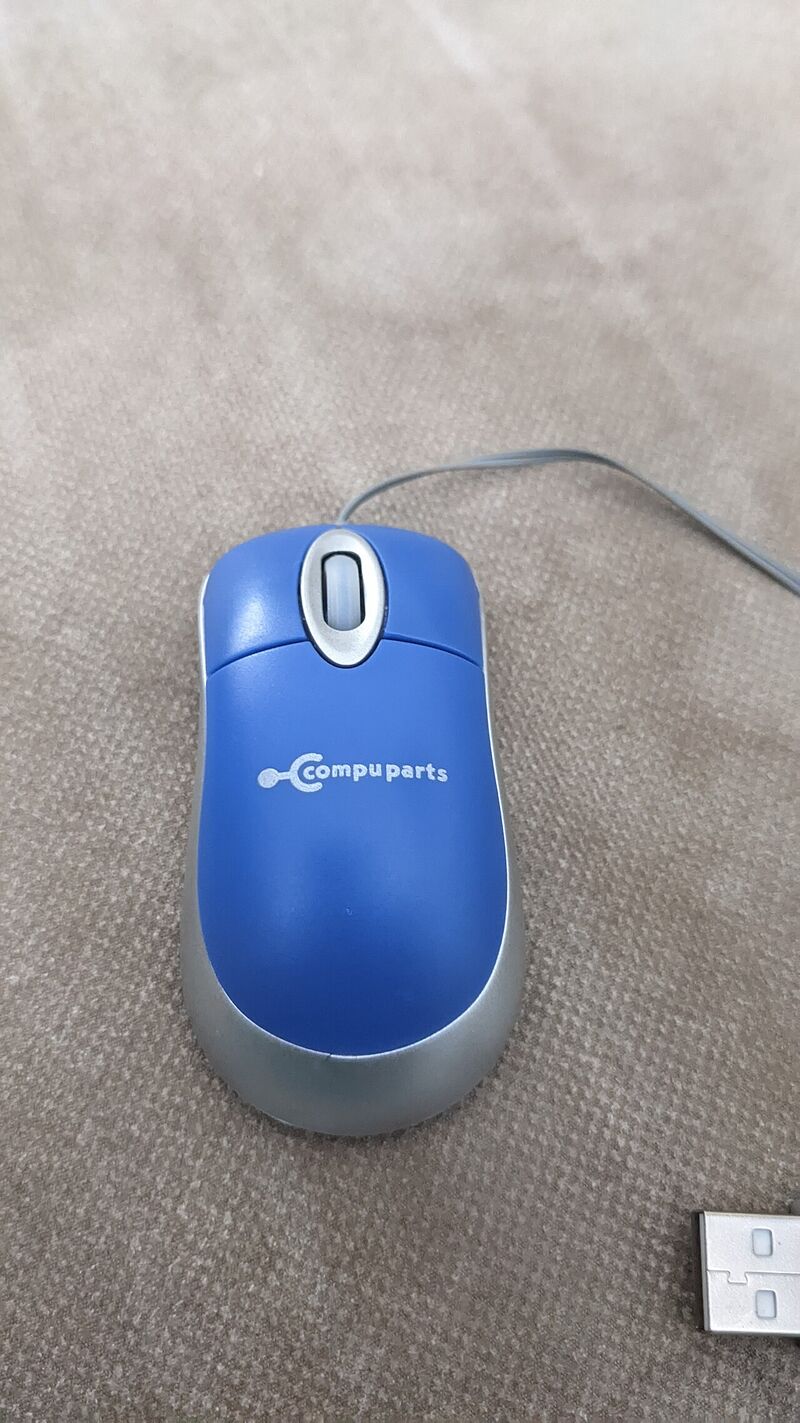
A mouse. The left button is on the left, under your first finger.Photo: Donald Trung Quoc Don (Chữ Hán: 徵國單), CC BY-SA 4.0
CheckQuestion 1 of 3
What does a click say to the computer?
On the computer18 min
Laptop block: Mouse trainer, move and click
Work in pairs. Driver uses the hands. Navigator uses the eyes and the voice.
Round 1. Play 1. Move. Slide the pointer onto the mango.
Mouse trainer
Move the pointer onto the mango. Do not click.
Round 2. Swap. Play 2. Click. Point first. Then click the mango once.
Mouse trainer
Click the mango once with the left button.
On the computer7 min
Laptop block: Open a program and close it
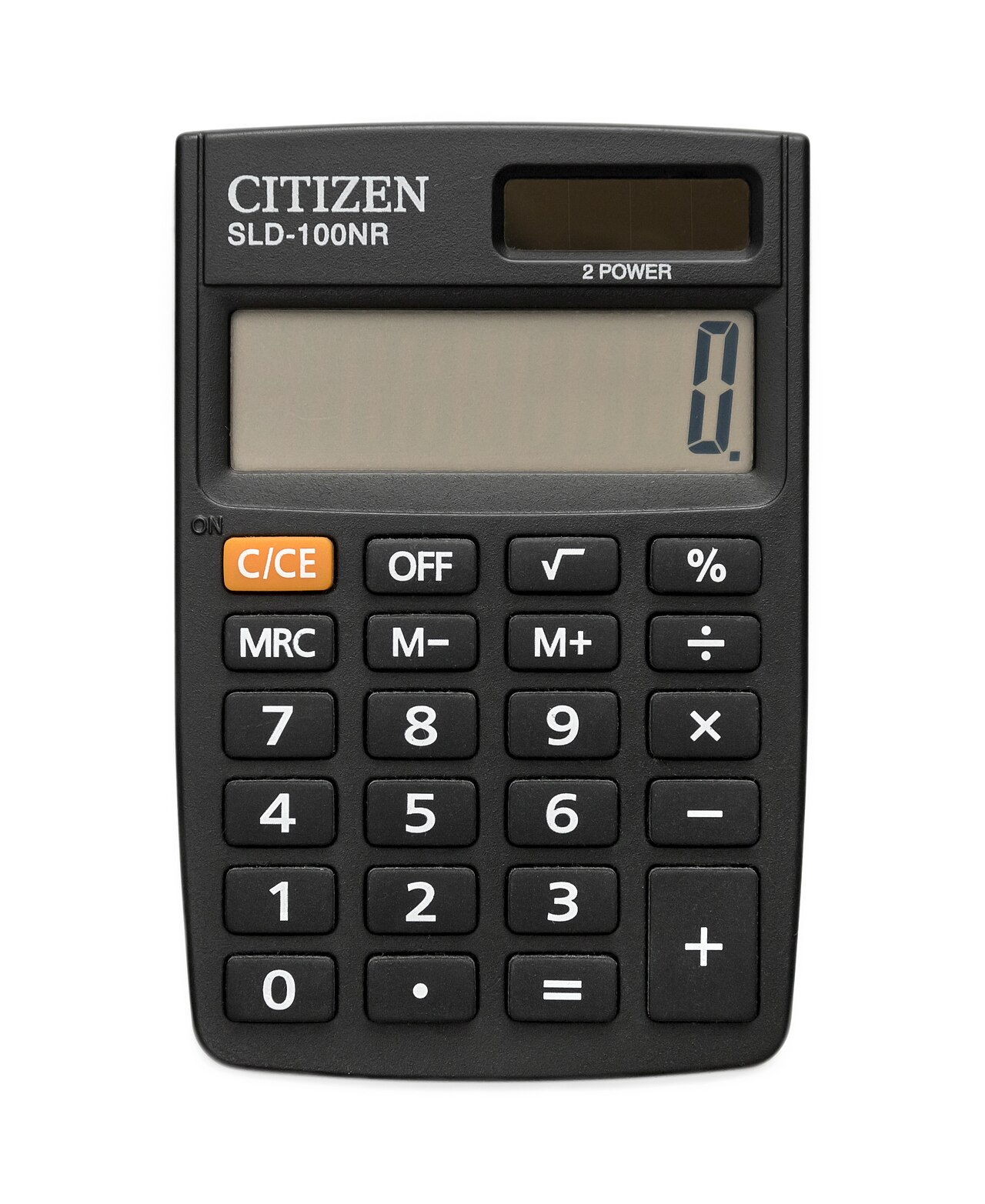
A program is a tool on the computer. Calculator is a program. It works like a pocket calculator.
A pocket calculator. The Calculator program works like it.Photo: LoMit, CC BY-SA 4.0
Windows: Click the Start button. Click Calculator.
Mac: Click Calculator in the Dock. The Dock is the row of pictures at the bottom.
A window opens. It is like a box on the screen.
Close it. Windows: click the X at the top right. Mac: click the red circle at the top left.
Swap. The other person opens it again.
Challenge5 min
Laptop block: Challenge
Choose one challenge. Try the next one when you are ready.
Bronze
Point at the mango. Click it. Say, “This one.”
Silver
Open Calculator. Close it with the X or the red circle. Say each step as you go.
Gold
Open Calculator. Click 2 and 3. Tell your partner how you did it, in steps.
Done early? Put the Lenovo steps in order. Later you do it on paper too.
Switch on and open a program
Put the steps in the right order. Use the arrow buttons, or drag a step.
Learn15 min
Paper block: Worksheet 1, the paper screen game
Now you work at your table. Today’s table leader leads the table.
Play the paper screen game. Use a bottle top as the pointer.
Move: slide the bottle top on the paper. Do not lift it.
Click: press the bottle top down once.
Read Worksheet 1 and follow the steps.
Worksheet 1: The paper screenName:
This paper is a screen. The bottle top is your pointer.
Mango
Football
Bicycle
Hen
Radio
Sun
Cup
Goat
Book
Phone
Tree
Basin
Play. Start with the bottle top on Mango. Do each step.
Slide to Sun. Click it.
Slide to Goat. Click it.
Slide to Football. Do not click.
Slide to Basin. Click it.
Slide to Radio. Click it.
Say “this one” each time you click.
Questions.
A. Start at Mango. Slide right 2 boxes. Slide down 1 box. Where are you?
B. Start at Book. Slide up 2 boxes. Slide right 3 boxes. Where are you?
C. What does a click say?
D. Make your own steps. Write 2 steps for your friend.
No computer12 min
Paper block: Worksheet 2, put the steps in order
Do Worksheet 2. Write 1 to 6 in the boxes. Then check with your table.
Worksheet 2: Switch on and open a programName:
These are the steps on the Lenovo. Put them in order. Write 1, 2, 3, 4, 5, 6.
Click the X to close the window.
Wait for the screen to wake up.
Click Calculator.
Shut down the right way.
Press the power button once.
Click the Start button.
Now answer.
1. Which button do we click? Circle one. LEFT or RIGHT
2. What is a program? Circle one.
a tool on the computer
a kind of food
3. Draw the X for closing a window.
Wan Bene moment5 min
Paper block: Say it at the table
Go round the table. Each person says two sentences.
“To click, first I … . Then I … .”
Speak so that the person farthest from you can hear.
Exit question8 min
Paper block: Exit question
Show with your fingers.
Which is the right order?
Click, then point.
Point, then click.
Press the power button, then close the lid.
Then say: “Today I learned … .”
Home mission5 min
Home mission
Paper (everyone). Be the computer. Ask someone at home to be the pointer. Put 5 things on a mat, like a cup or a spoon. Say “Point to the cup. Click.” They touch the cup and say “this one”. Play 3 rounds.
Phone (only if a family phone is free, and you have asked). On a phone, a program is called an app. Find the picture of an app. Touch it once to open it. Find how to close it. Tell someone at home what you did.