Today you will name the four jobs every computer does, and use the mouse and keyboard with more control.
builders120 min
How computers work
Input, process, store, output
Today you will name the four jobs every computer does, and use the mouse and keyboard with more control.
Story4 min
Teacher block: Ocen and the mobile money agent
Ocen is 14. His aunt sends him to the mobile money agent to send money to his grandmother in the village.
He watches the agent closely. Ocen gives the agent the phone number and the money. The agent types the number into a phone. The phone asks for the agent’s PIN. A short time later, a message comes back: “Sent.” The agent writes the deal in a big book too.
Ocen thinks:
Ocen says: It is like a small factory. Something goes in. Something is done. Something is kept. Something comes out.
Is Ocen right? Does a computer work like that agent?
Did you know?2 min
Did you know? The abacus
An abacus is a frame with rows of beads on rods. People have used versions of it for thousands of years, in many parts of the world. Some traders and students use one even today. A skilled user moves beads to put a number in. They move more beads to do the sum. The beads hold the number while they work. Then they read the answer from the beads. It needs no electricity.
Can you find something going in, something done, something kept, and something coming out?
Remember5 min
Teacher block: Recall from Day 1
Answer with your fingers. 1 finger for A, 2 for B, 3 for C.
Which is a rule of our team? A. The loudest person drives. B. A mistake is a bug. C. The navigator takes the mouse.
What is an algorithm? A. A list of clear steps in order. B. A kind of laptop. C. A key on the keyboard.
How do we switch off a laptop? A. Hold the power button. B. Close the lid. C. Tell the computer to shut down.
Which part do you use to point at things on the screen? A. Touchpad or mouse. B. Charging port. C. Camera.
Learn14 min
Teacher block: The four jobs
Every computer does four jobs.
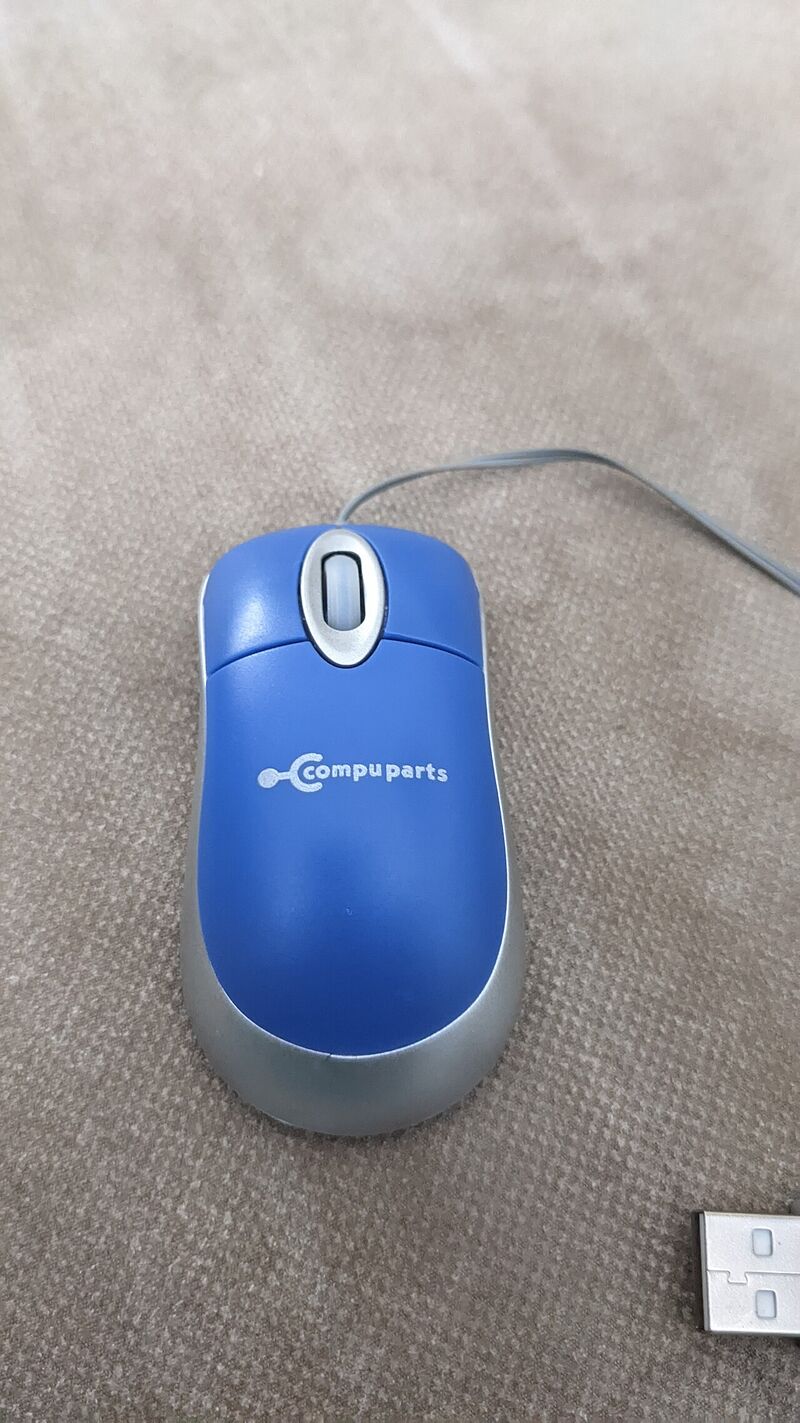
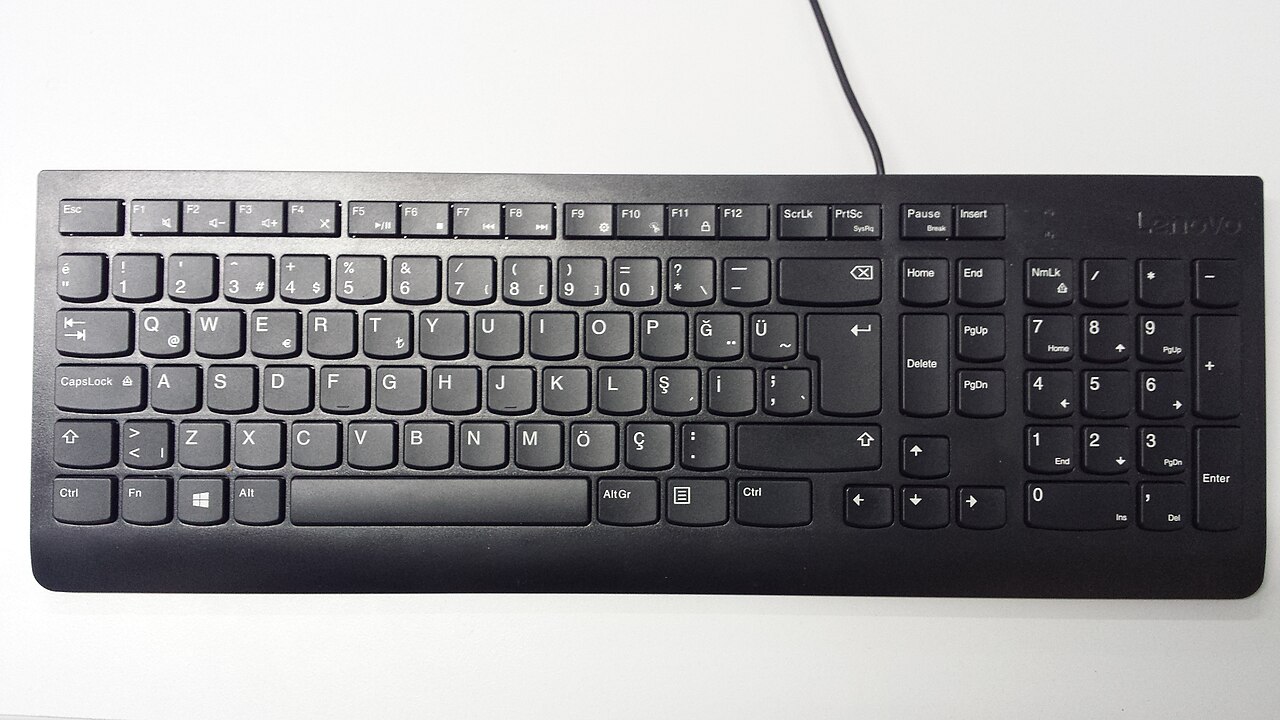
Input. Things go in. The keyboard, the mouse, the microphone, the touch screen.
Process. The computer does something with them. It adds, compares, decides. This is done by the processor, the “brain” of the computer.
Store. The computer keeps things for later. Photos, songs, files.
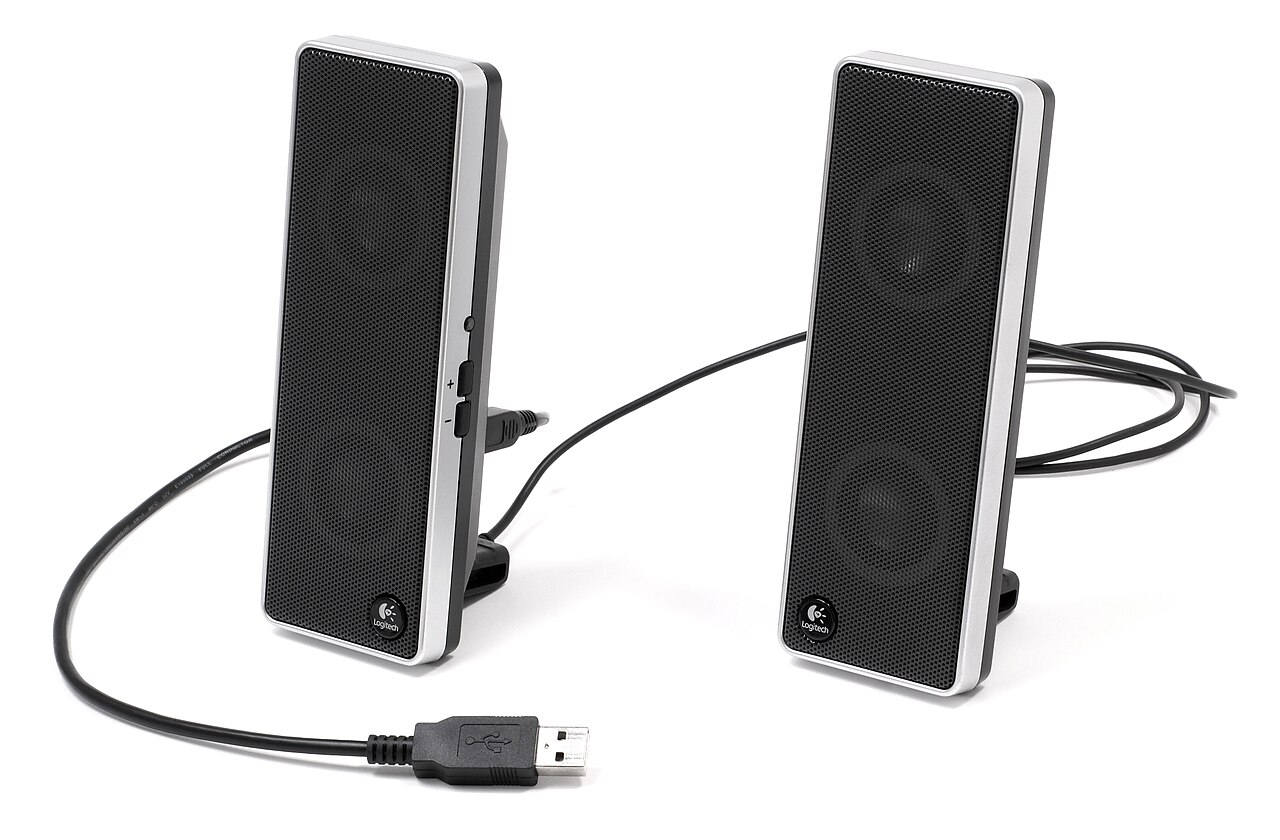
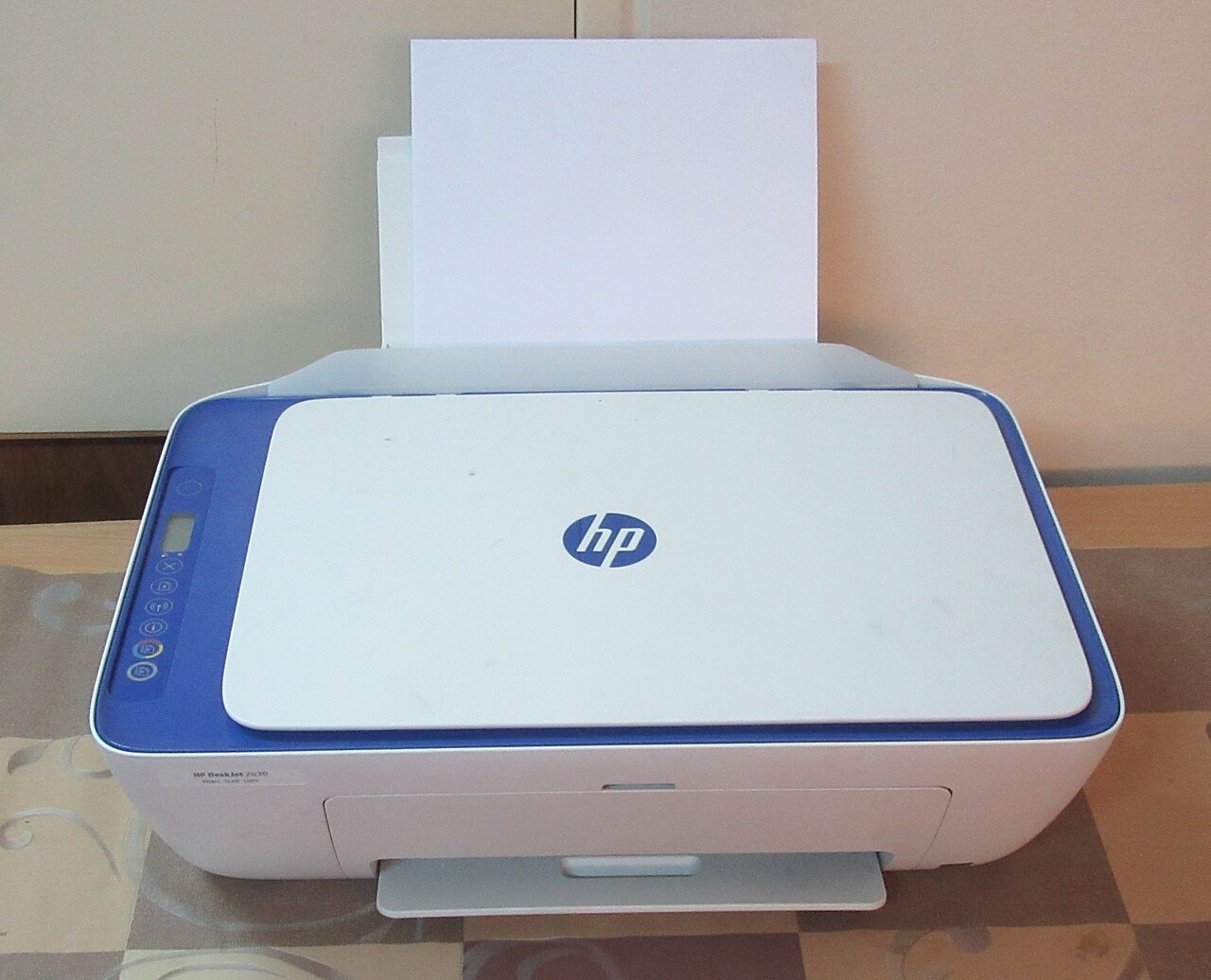
Output. Things come out. The screen, the speaker, the printer.
Diagram. Data goes from input to process to output. The process box also saves to storage and reads from storage.
Back to the agent: the cash and number are input. The phone checking the PIN is process. The book is store. The message “Sent” is output.
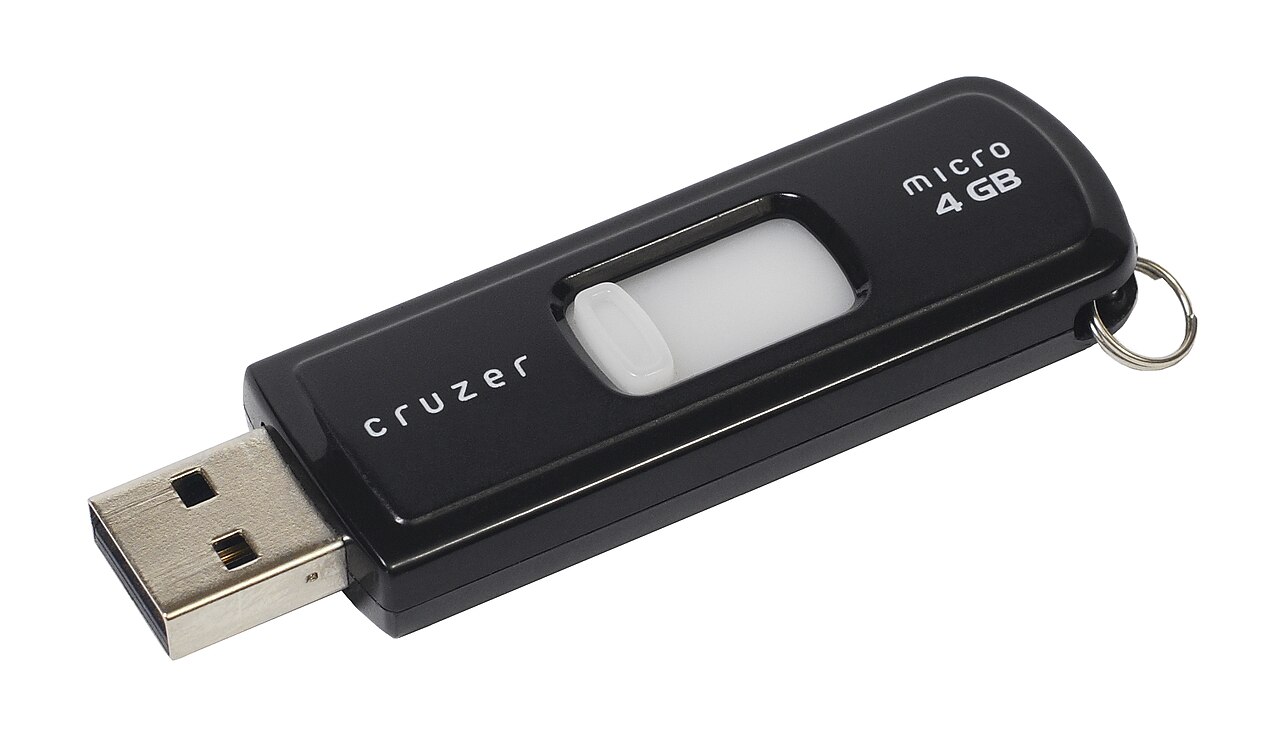
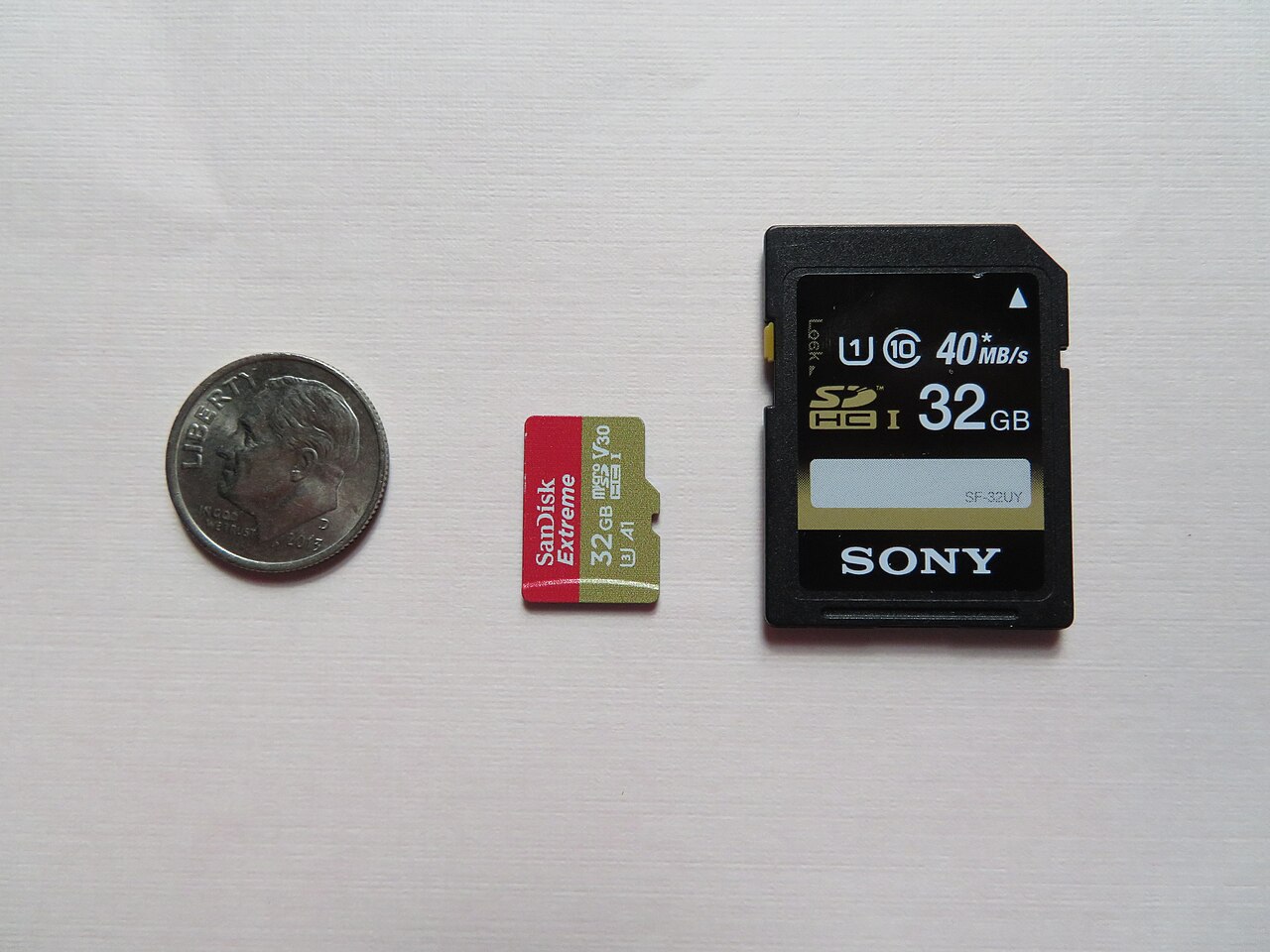
Input: a mousePhoto: Donald Trung Quoc Don (Chữ Hán: 徵國單), CC BY-SA 4.0Input: a keyboard. Keyboards in other countries can have a few different letters.Photo: Răzvan Sandu, CC BY-SA 4.0Output: speakersPhoto: Evan-Amos, Public domainOutput: a printerPhoto: Kskhh, CC BY-SA 4.0Storage: a flash diskPhoto: Evan-Amos, Public domainStorage: memory cards for a phone or camera, next to a coinPhoto: Nashucks, CC0
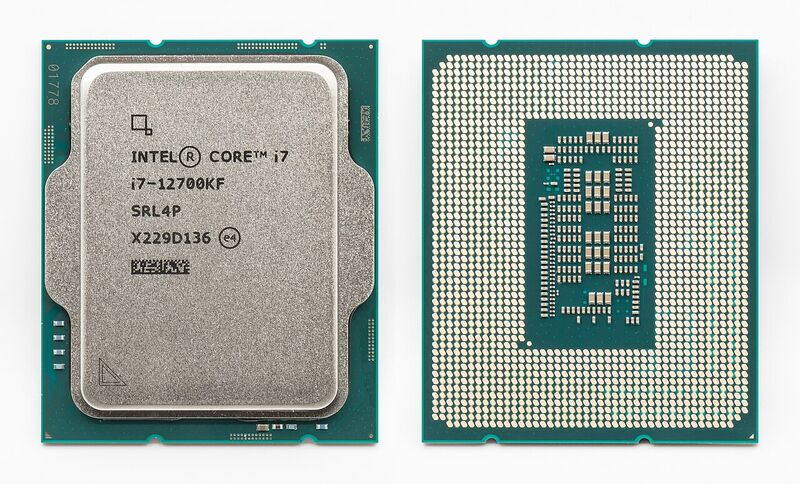
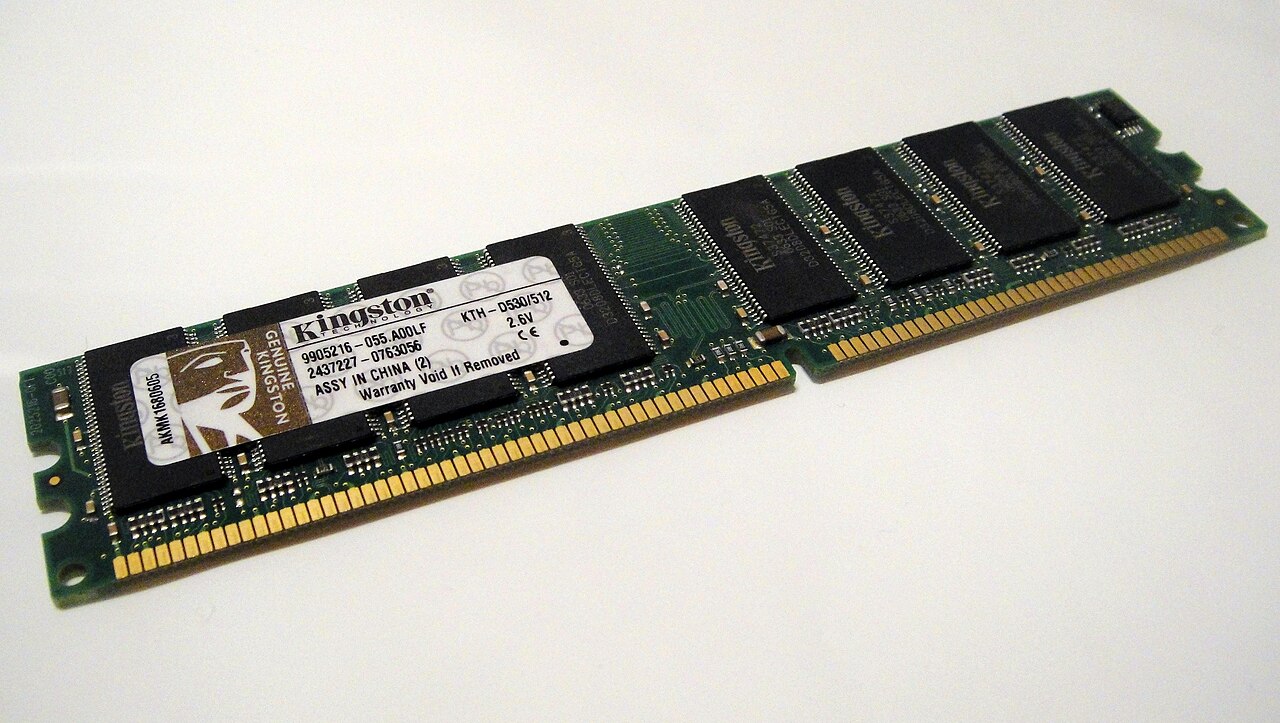
The processor is a small chip. Memory and storage are parts inside the computer too.
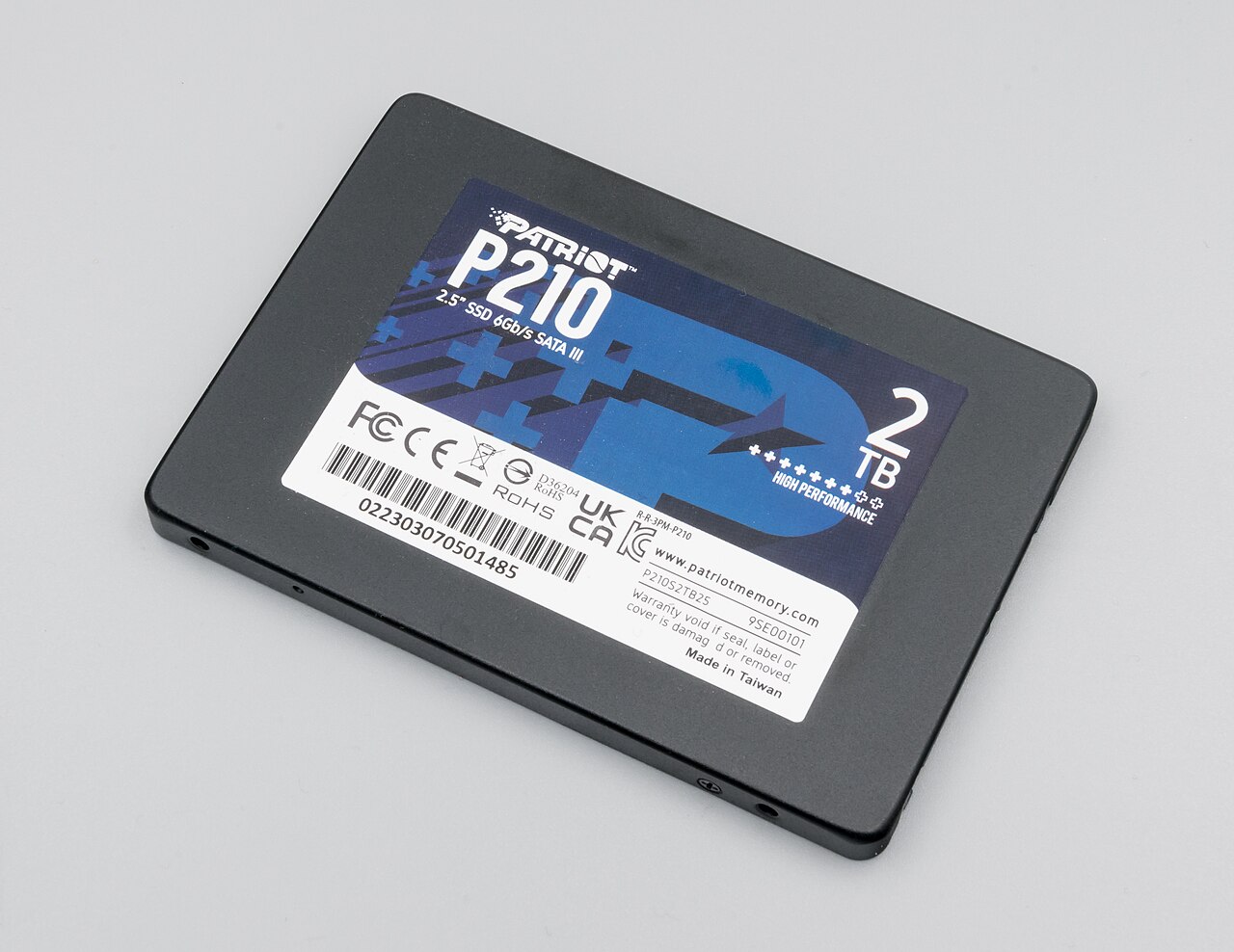
The processor (CPU), top and bottom. It is smaller than your palm.Photo: Jacek Halicki, CC BY-SA 4.0Memory (RAM). It holds the work you are doing now.Photo: Matt Kieffer, CC BY-SA 2.0Storage: a solid state drive (SSD). It keeps files when the power is off. In a thin laptop it is often smaller and flatter.Photo: Jacek Halicki, CC BY-SA 4.0
Hardware is a part you can touch: screen, keyboard, mouse, processor. Software is the instructions you cannot touch: the Calculator, a game, the system that starts the laptop. Think of football. The ball and the goalposts are like hardware: you can touch them. The rules of the game are like software: you cannot touch them, but they tell everyone what to do.
No computer12 min
Teacher block: The human computer
Now you are the computer.
Five roles:
Input clerk reads the slip and says the numbers out.
Processor follows the instruction card, one step at a time.
Memory is a small slate. It holds numbers while we work.
Storage is an exercise book. It keeps the answer.
Output shows the answer to the class.
The job: add two numbers.
Before we start, guess: what happens to the numbers on the slate if the power goes?
No computer8 min
Teacher block: Paper exercise and check
Do the sorting worksheet alone. Then we check it together.
Sort the jobsName:
1. Write each item in the right column. (A touch screen could go in two. These items go in one each.)
2. Sort these machines. For each, write one thing that goes in, and one thing that comes out.
Machine
Goes in
Comes out
Phone
ATM
Calculator
Radio
3. Write hardware or software.
A screen: hardware or software?
The Calculator app: hardware or software?
4. The power goes off while you type. Which one forgets: memory or storage? Write one reason.
CheckQuestion 1 of 4
Which part of the mobile money story is the output?
On the computer32 min
Laptop block: Task card, mouse, keys and two programs
With no teacher. Read the card. Follow it. Ask your partner first.
Your pair: one driver (hands on the laptop) and one navigator (eyes and voice). Swap every 10 minutes. If there are 3 of you, one is the timekeeper. The timekeeper joins a pair as a second navigator, and calls “Swap!” every 10 minutes.
Wipe your hands first. If the Lenovo is off, switch it on: one short press, then wait.
Round 1 (10 minutes): the mouse
Driver: in the Mouse trainer, do 1. Move and 2. Click.
If it is easy, try 3. Double click and 4. Drag.
Navigator: do not touch the mouse. Say what you see. For example: “The mango is on the left. Move down a little.”
Mouse trainer
Move the pointer onto the mango. Do not click.
Mouse trainer
Click the mango two times, fast.
Swap! Say the driver’s name aloud when you swap, so the timekeeper can write it.
Round 2 (10 minutes): the keys
New driver: in the Key finder, do 1. Home keys. Put your fingers on the home row: A S D F for the left hand, J K L and semicolon for the right hand.
Then do 2. All letters.
Navigator: watch the hands. Is your friend looking at the keys or at the screen? Say “Look at the screen.”
Key finder
Key finder
Swap!
Round 3 (10 minutes): two programs
First the Calculator.
Windows (Lenovo): click the Start button at the bottom (or press the Windows key). Type Calculator. Press Enter.
Mac: hold Command and press Space. Type Calculator. Press Return.
Predict, then try: What is 27 plus 15? Say your guess, then press the keys on the screen with the mouse. Then press the number keys on the keyboard instead. Both give the same answer.
Then the text editor.
Windows: Start, then type Notepad, then Enter.
Mac: Command and Space, type TextEdit, then Return. If a file box opens, click New Document. In the top menu, click Format, then Make Plain Text.
Type your name and one sentence about your favourite game. Do not close it yet.
Fill this in on paper (the navigator writes, the driver says):
What I did
Input or output?
I pressed a key
The letters showed on the screen
I moved the mouse
The sum appeared in the Calculator
Stuck? Before you ask anyone, try three things:
Read the step again, slowly, out loud.
Ask your partner: “What do you see on the screen?”
Try another way. If the mouse is hard, use the keyboard. If it still fails, write the problem on paper and carry on with the next step.
Last 2 minutes: close both programs. If a box asks to save, click Don’t save on Windows, or Delete on a Mac. Notepad may close without asking. That is fine. Leave both laptops on and wipe the keys. The Pioneers use them next.
Challenge13 min
Laptop block: Challenges
Choose one level. Bronze first, then go up if you can. Swap the driver every 10 minutes.
Warm up, everyone (3 minutes). Click a part on the left, then its job on the right. The navigator says why before the driver clicks. (No laptop? Do the same on paper: draw a line from each part to its job.)
Match the part to its job0 of 5 matched
Click one on the left, then its partner on the right.
Bronze
Open the Calculator and add 48 and 37 using the keyboard. Write the answer on paper. Name the input and the output you used.
Silver
In the text editor, type a list of three input devices and three output devices that you can see in the room. Then name the processor job: what does the laptop do when you press a key?
Gold
Open the Calculator. Predict first: what is 12 times 12? Write your guess. Then find out. Then try to make a sum your calculator cannot do (for example, divide by 0). What does it show? Explain why in two sentences, using the word instructions.
Wan Bene moment10 min
Say it out loud: a one-minute talk
Stand up. Talk for one minute, to your team.
Explain the four jobs of a computer using one thing from your home. For example, a radio, a phone, a boda boda’s phone, or a posho mill.
Use this shape: One sentence about the thing. One example of input, process, store, output. One question for us.
Exit question10 min
Exit question
Show with your fingers.
You write a story on a laptop and save it. The power goes off. Where is the story?
Gone, because memory forgets
Kept, because it is in storage
Inside the screen
Then say one sentence: “Today I learned that …”
Tick your skills on your passport.
Home mission10 min
Home mission
Paper (everyone). Choose one machine at home or in your village: a radio, a phone, a torch, a posho mill, a boda boda. Draw four boxes: Input, Process, Store, Output. Write what happens in each box for your machine. If a box is empty, write “none” and say why. Bring it tomorrow.
Phone (only if a family phone is free, and you have asked). Open the Camera and take one photo. Then find where the phone keeps it (the Gallery or Photos). Say aloud: what was the input? Where is it stored? What is the output?