Today you will show what you can do without help by writing the first draft of a one page report on a real problem from your field, then explain it to the group in two minutes.
pioneers75 min
Computer fluency for study
Build and Show: a one page report
Today you will show what you can do without help by writing the first draft of a one page report on a real problem from your field, then explain it to the group in two minutes.
Story2 min
Check block: Friday, and what you can do now
On Monday you could use a phone well. You may not have used a laptop for study.
Today you show what has changed, without help. Then you make something real, for a real reader.
This is not a competition. Nobody wins, nobody loses. It tells us where to help you in week 2.
Did you know?2 min
Did you know? Wangari Maathai listened first
Wangari Maathai was a scientist in Kenya. In the 1970s, women from the countryside told her about their problems. Streams were drying up, and firewood was harder to find. She started from their need. In 1977 she began the Green Belt Movement, which helped women to plant trees and paid a little for each tree that grew. Over the years its members planted millions of trees. In 2004 she became the first African woman to win the Nobel Peace Prize.
Who is the real reader of your report, and what do they need?
Remember3 min
Check block: The week in five questions
Write true or false on paper. Then compare with a partner and say why.
Memory is cleared when the power goes off.
A heading made by making text bold is a real heading.
A web address ending in .go.ug is always true.
Plagiarism is using someone’s work as your own.
Ctrl + Z or Command + Z undoes the last action.
Learn8 min
Check block: The one page report
A one page report is the most common document in work life. A health centre manager, a school head teacher, a SACCO board member, an NGO officer: each wants one page that they can read in two minutes.
The structure.
Title. Title style. Says what the report is about.
Who and why line. One sentence in italics: “This report is for … and shows how to solve …”.
Problem. Heading 1. What is wrong, for whom, how big? Two or three sentences.
What we know. Heading 1. One fact or finding from one cited source.
What could be done. Heading 1. Two or three clear steps, in a numbered list.
Source. One line: author, year, title, where found, date you looked at it.
Examples of real problems from different fields:
Agriculture: farmers lose maize in storage because of moisture.
Nursing or medicine: patients wait for hours because records are on paper.
Education: a class of 80 pupils with 10 books.
Law or social work: people do not know where to report a land dispute.
Business or a SACCO: loan records kept in notebooks that get lost.
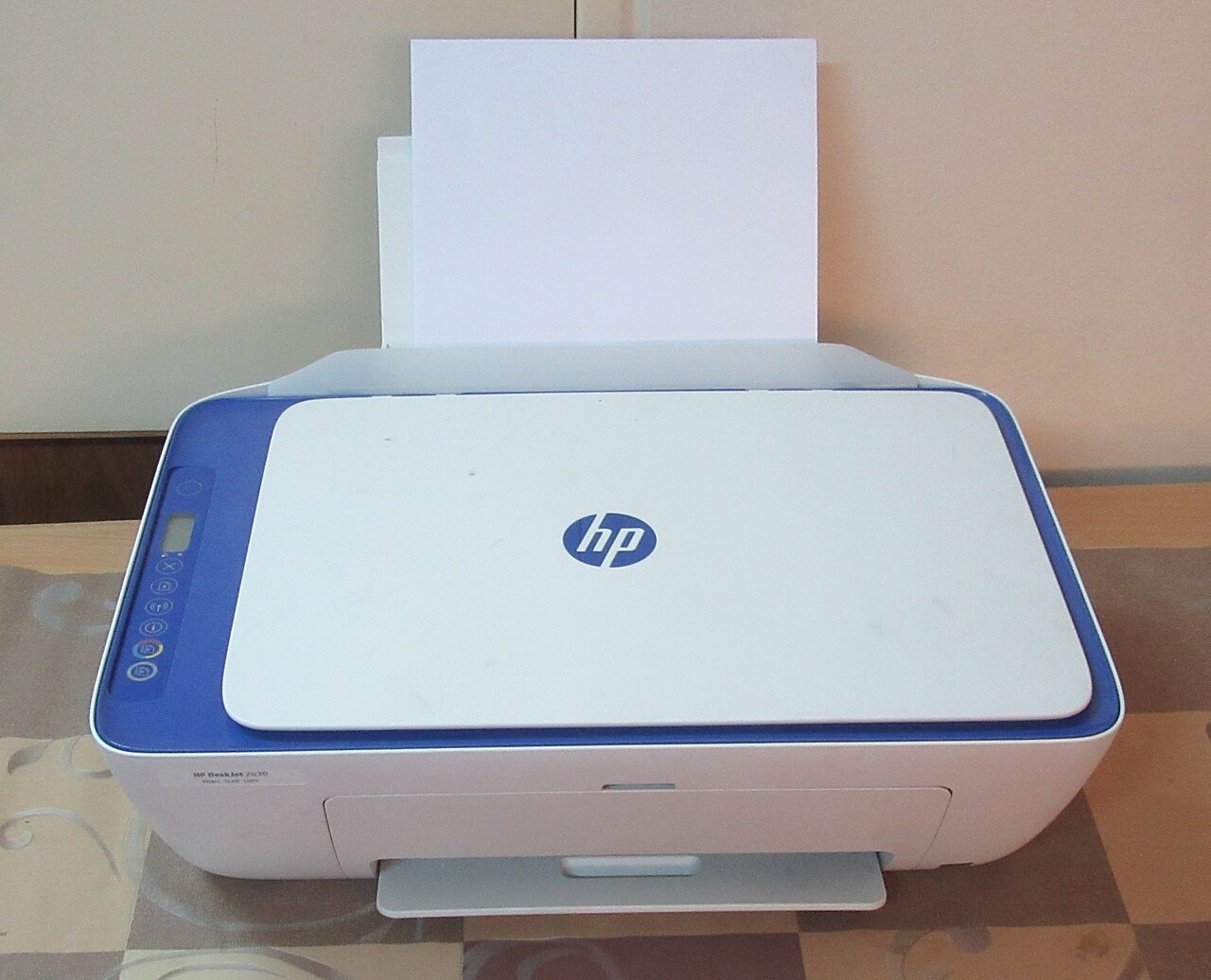
A one page report fits on one printed sheet. Readers can hold it in one hand.Photo: Kskhh, CC BY-SA 4.0
Put the parts of a one page report in order
Put the steps in the right order. Use the arrow buttons, or drag a step.
Specification. A4, one page only, margins 2.5 cm, Arial or Times New Roman, size 12, line spacing 1.15 so it fits on one page, page number in the footer. No table of contents on one page.
Good report habitsQuestion 1 of 4
What does the who and why line tell the reader?
One page report planName:
Name:
My problem, in one sentence:
Who and why line: This report is for and shows how to solve .
Problem (two or three sentences):
What we know: one fact, in my own words:
Source (author, year, title, where found, date I looked):
What could be done (two or three steps):
On the computer10 min
Check block: Checkpoint, the written part
Answer on paper, in your own words, without notes. Eight short questions.
Checkpoint written questionsName:
Name:
Name the four jobs of a computer.
Memory or storage: which one is cleared when the power goes off?
What is the difference between Save and Save As?
Write one full path for a file in Year 1, Semester 1, in a course unit folder.
Write the shortcut for copy and the shortcut for paste on your laptop.
Give one reason to use a Heading style instead of making text bold.
Why send a PDF to a lecturer?
Write three of the five questions you ask about a source.
On the computer12 min
Check block: Checkpoint, the practical
On the MacBook, when your name is called. Do this without help: no notes, no neighbour, no teacher. Olara watches and writes, but does not guide. Use your plan sheet only.
In your own Semester folder (Documents, University, your year, your semester), make a new folder called Checkpoint.
Open Word, or LibreOffice Writer.
Type the first draft of your one page report from your plan: the title, the who and why line, a Problem heading with two or three sentences, a What could be done heading with a numbered list of three steps, and the Source line. Short sentences are fine.
Format it: A4, margins 2.5 cm, size 12, line spacing 1.15, Title style for the title, Heading 1 for the headings, the who and why line in italics, page number in the footer. Run the spelling check.
Save the document in the Checkpoint folder. Name it Checkpoint followed by your surname.
Export a PDF into the same folder. Open it and look at it.
Checkpoint practical checklistName:
Name:
Checkpoint folder made inside the right Semester folder
A4 page, margins 2.5 cm on all four sides
Title uses the Title style
Two headings use the Heading 1 style
Body text size 12, line spacing 1.15
The who and why line is in italics
A real numbered list of three steps
Page number in the footer
Spelling check run. Red underlines left only on names that are right
Document saved with the correct name in the Checkpoint folder
PDF exported to the same folder, and it opens and looks like the document
The work is in the learner’s own words, with a Source line
Wan Bene moment8 min
Check block: Prepare your two minute talk
Plan your talk in four parts. Use plain words that an Explorer could follow.
An Explorer can follow
Patients wait for hours because their records are on paper and get lost.
Too hard for the audience
Record retrieval inefficiencies cause significant delays in patient throughput.
Who and what. “My report is for … It is about …”
The problem. One or two sentences with a real example.
What I found. One fact, and where it came from.
What could be done. One step, and the one thing you want your listeners to remember.
Practise it once, quietly, with a partner. The partner puts up a hand when a word is not clear.
Wan Bene moment15 min
Build and Show, everyone together
Show your report to the whole group in two minutes. Your PDF is on the big screen.
Rules for the audience: listen to the end. Then say one thing that was clear and ask one question. No scores, no ranking.
Exit question5 min
Exit question and reflection on mentoring
Exit question. Write one sentence: what is the first thing you will check next time before you send any document?
Reflection on mentoring this week. Write two lines:
What worked when you helped an Explorer?
One thing you will change next week.
Home mission5 min
Home mission
Paper (no device). Write the What we know section of your report on paper: one fact from your source, in your own words. Then read your report to someone at home or in your neighbourhood who could use it, such as a family member, a teacher or a clinic worker. Ask: “What is unclear?” Write down what they say.
Phone (if you have one free). If you can move your PDF to your phone, read it on the small screen. Check that you can read the title, the headings and the numbers. Write down one thing that you would change.
Wan Bene moment5 min
Prepare Monday's mentoring
Monday starts week 2. This week you mentored the Explorers through parts, power, clicking, double click, drag and typing their name.
On Monday the Explorers do: Home keys and sitting well. First they learn to sit well: feet flat, back straight, wrists loose. Then they find the home keys and the bumps on F and J, and play “1. Home keys” and “2. All letters” in the Key finder. The pairs change laptops, and the pair at the Lenovo switches it on. Read the lesson before Monday. Plan the first thing you will say, for example: “Show me how you sit. Feet flat. Back straight.”
Choose one thing from your reflection to change on Monday. Write it as an action: “I will wait 10 seconds before I speak.”
Write one question you will ask instead of taking the mouse. For example: “What do you see? What could you try?”
Practise the question aloud, twice, at home with someone who plays the Explorer.